The Shipfinex Wallet: Security & Access


As Shipfinex moves closer to wallet activation, we want to walk you through how access and security work in everyday use.
This newsletter is here to remove surprises, so you feel clear and prepared before wallet activation begins.
The Shipfinex Account and Shipfinex Wallet: Two Layers of Access

The easiest way to understand Shipfinex security is to think of it as two separate layers, each with a different role.
First is your Shipfinex account.
This is the platform account you create using your email address and phone number. It’s what you use to log in, complete KYC and financial verification, initiate wallet activation and browse ship listings. If you ever face issues logging in or completing verification, Shipfinex support can help you recover account-level access.
Second is your Shipfinex wallet.
The wallet is created during activation and works differently. Wallet access is controlled by your own credentials and security answers. Shipfinex does not reset, override, or recover wallet access.
This separation is intentional. It allows the platform to remain supportable, while keeping wallet control exclusively with you.
Think of it this way: the account gets you into the platform, but the wallet gives you control over assets.
How Shipfinex Recognizes You

When you use Shipfinex, the system recognizes and protects access using a combination of your account credentials, the device and browser you’re using, and three security questions linked to your wallet.
During wallet activation, you’ll be asked to set three security questions. These questions act as the passkey to your Shipfinex wallet. They’re used whenever the system needs to confirm it’s still you, for example, if something about your access context changes.
Because the wallet is self-custodial, these security questions are fully under your control. Shipfinex cannot reset or recover them, and wallet access can’t be restored without the correct answers. This is a deliberate design choice to ensure that no intermediary can authorize wallet actions on your behalf.
If something changes, the system may briefly pause access and ask you to confirm your identity again. This is a protective check.
Think of It Like Net Banking, But Stricter
Most people have seen this behavior before. Banks and trading platforms routinely ask for extra verification if you switch devices, change browsers, or log in from a new location. It’s simply how cautious systems behave.
Shipfinex follows the same principle. The difference is that wallet access involves direct authorization, so the checks are intentionally stricter.
When You Might See a Re-Check
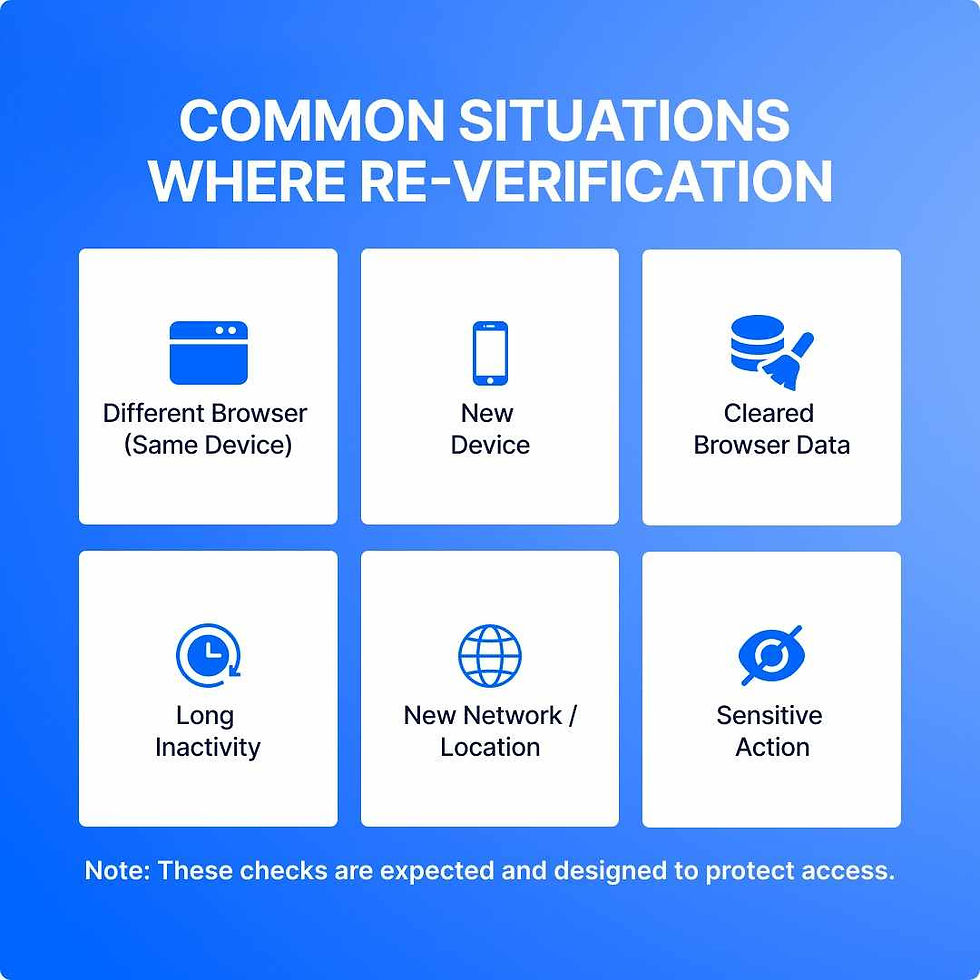
In everyday use, there are a few common situations where the system may ask you to answer your security questions again. This is expected behavior and simply means the system is protecting access.
You may notice this if you:
access Shipfinex from a different browser on the same device
log in from a new device
clear browser data or cookies
return after a long period of inactivity
connect from a new network or location
attempt certain sensitive actions
These checks are designed to ensure that wallet access remains under your control.
Responsibility Comes With Direct Control

The Shipfinex self-custodial wallet gives you greater control, but it also requires greater responsibility.
Unlike traditional systems, wallet access cannot be reset by the platform. Lost or compromised credentials may result in permanent loss of access, and once a transaction is authorized, it cannot be reversed.
What Wallet Activation Will Look Like

When wallet activation begins, you’ll be guided through a secure setup process. This includes confirming your identity (KYC must be complete), setting up your security questions and access credentials, and reviewing key responsibilities before activation.
We’ll share a clear, step-by-step guide closer to activation, so you know exactly what to expect before taking any action.
What’s Coming Next
In the coming weeks, we’ll go deeper into:
how is a shipfinex wallet different than a bank account
why Polygon was selected as infrastructure
how customers can independently verify holdings
what operational readiness looks like before wallet activation
Wallet access will be enabled only after successful verification and readiness checks.
Until next time,
Team Shipfinex


